Add the client
Fill in the funding checklist or read it from a PDF. Power of attorney and checklist go to the client in one click.
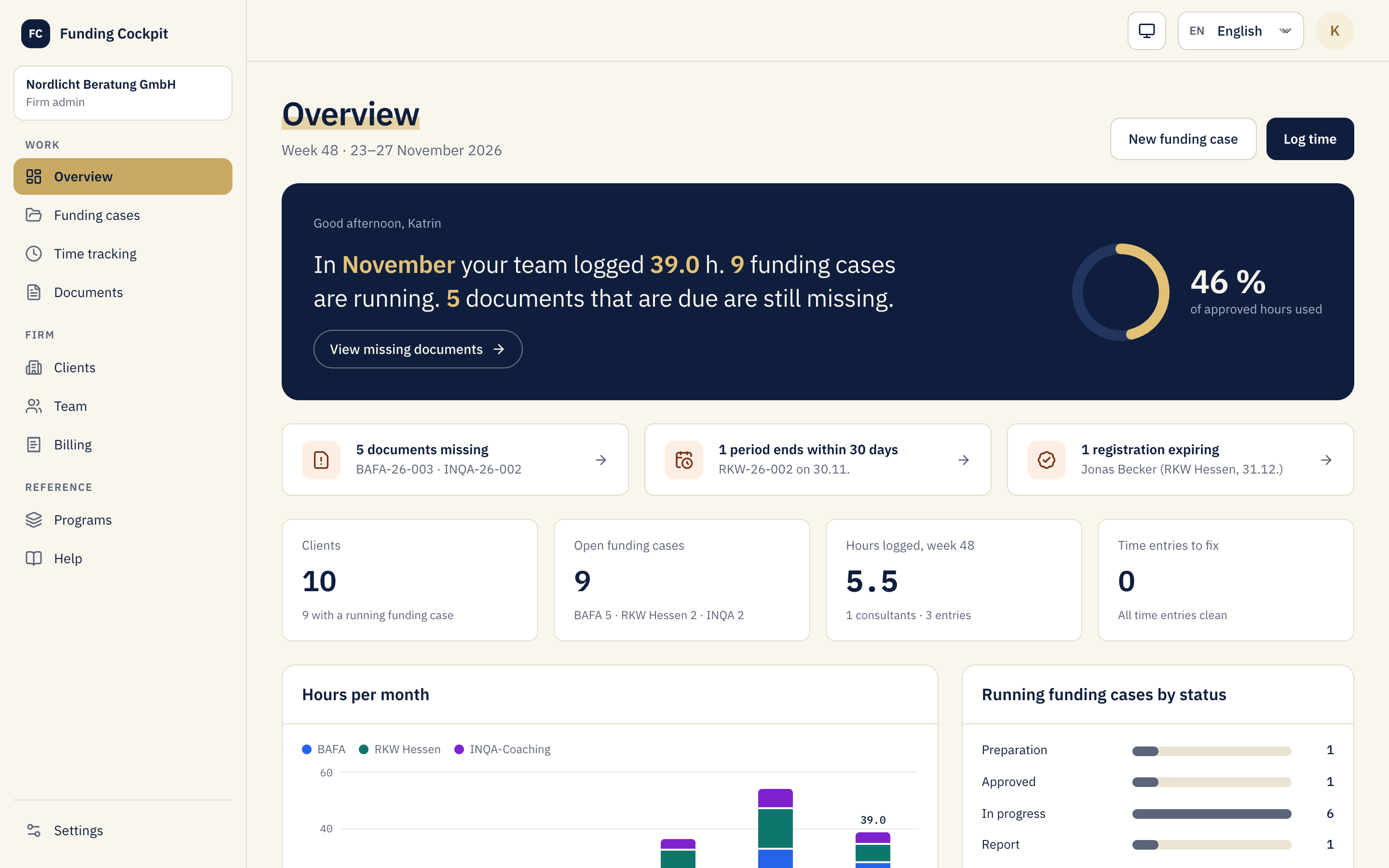
Clients, funding cases, time tracking, reports and documents in one place – with checks that catch mistakes before the funding body does.
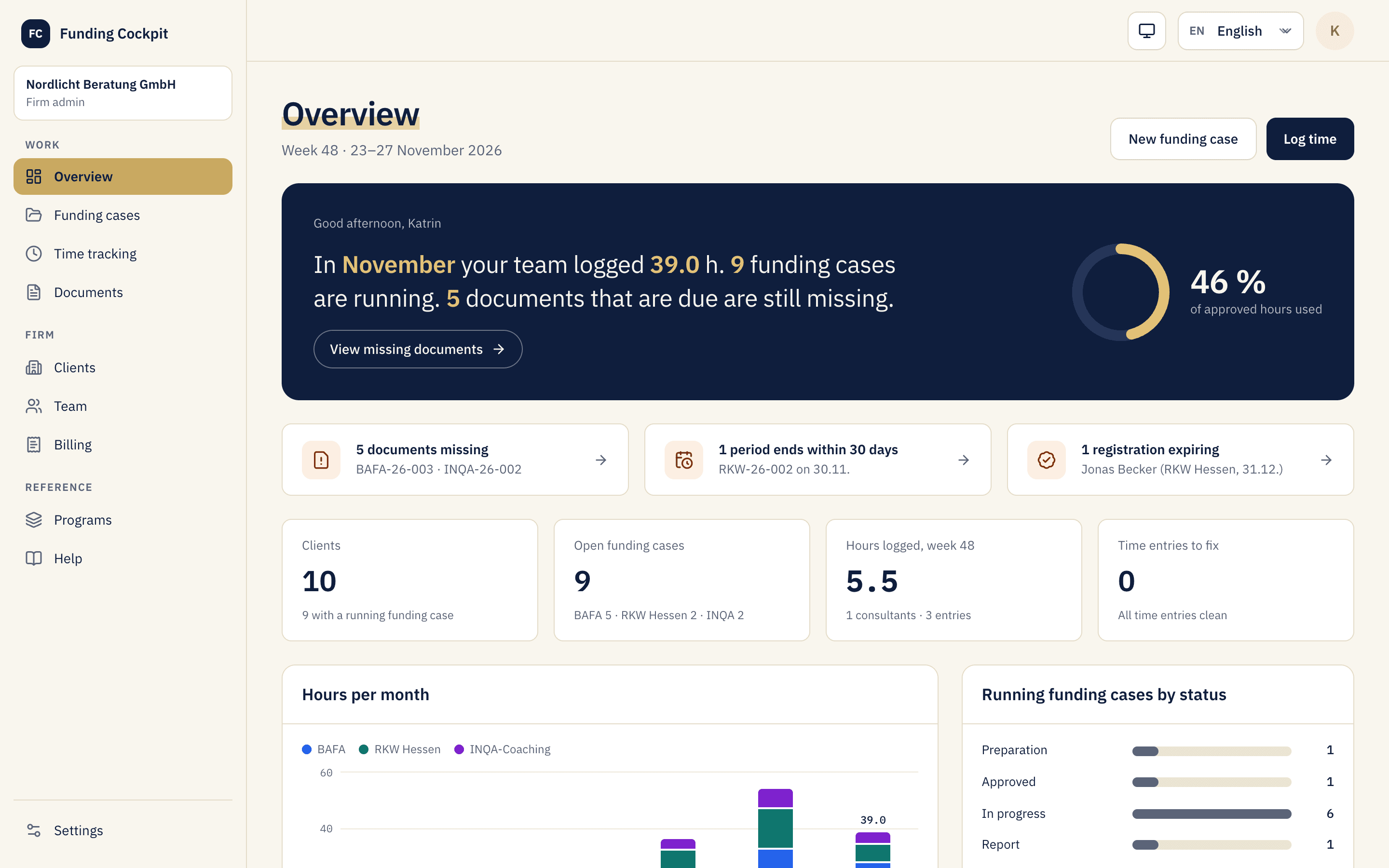
Built for the rules of
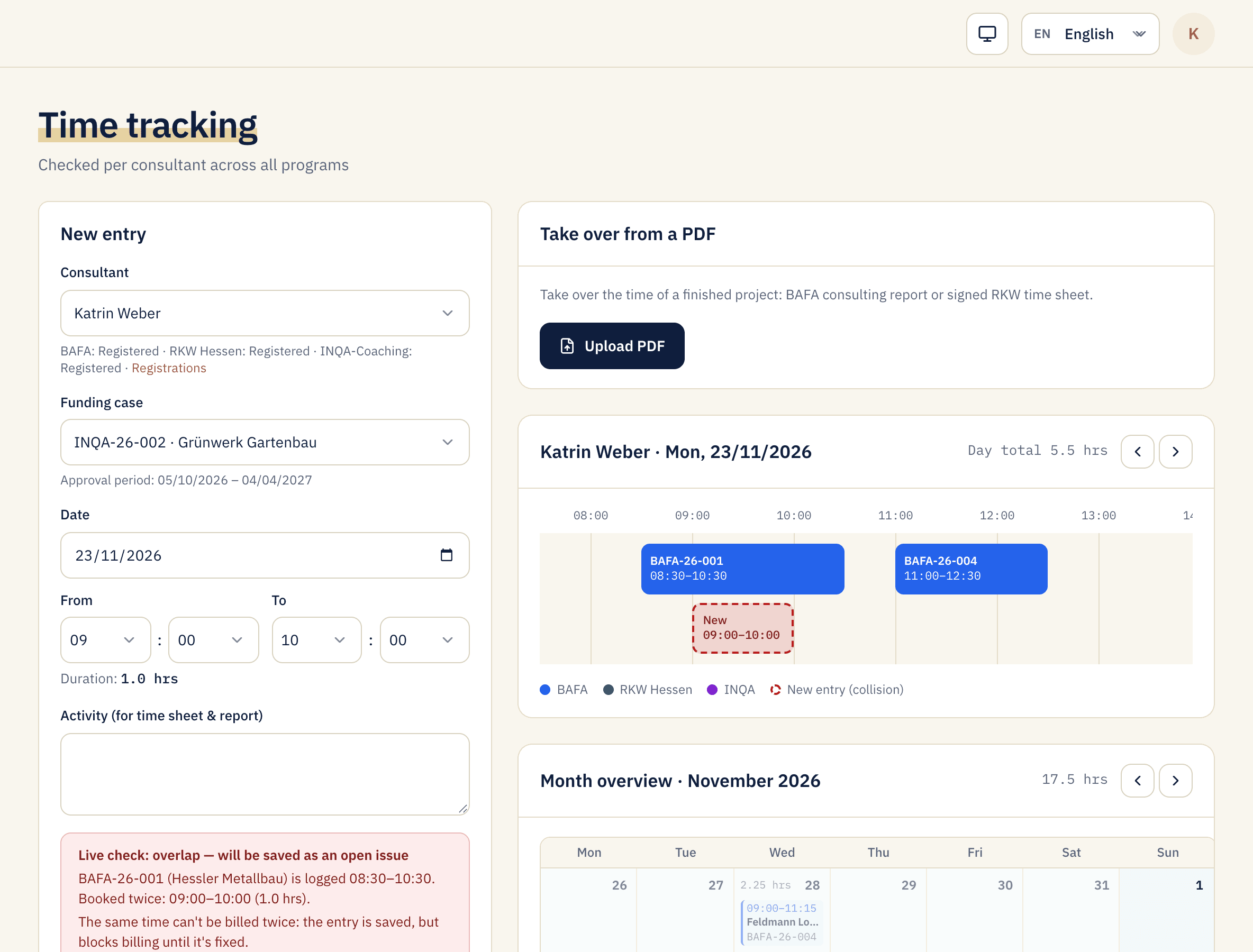
Every entry is checked as you type: registration, approval period, budget and overlaps.
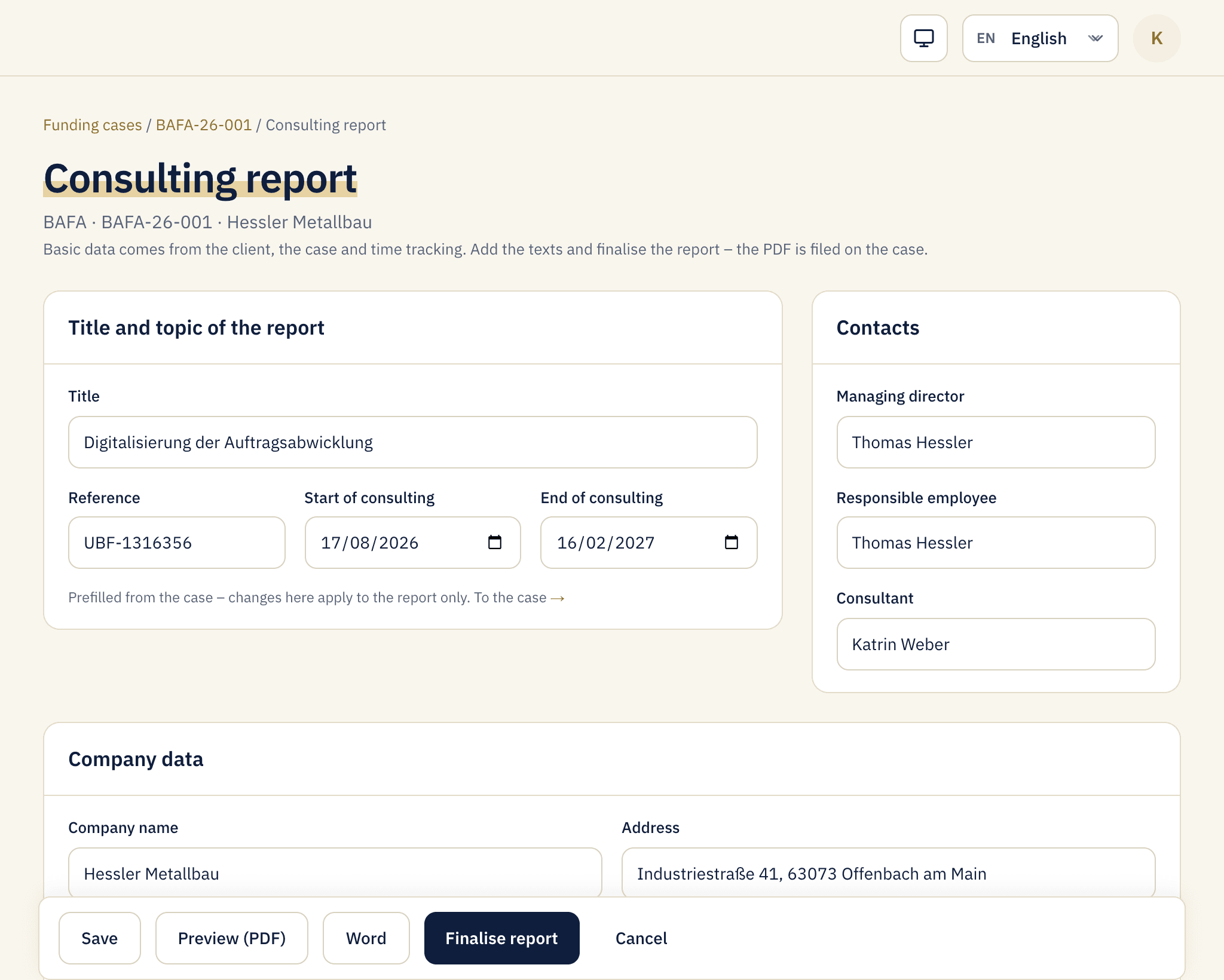
As PDF or Word – from the data that is already in the system.
Overlaps are detected and block billing until they are resolved.
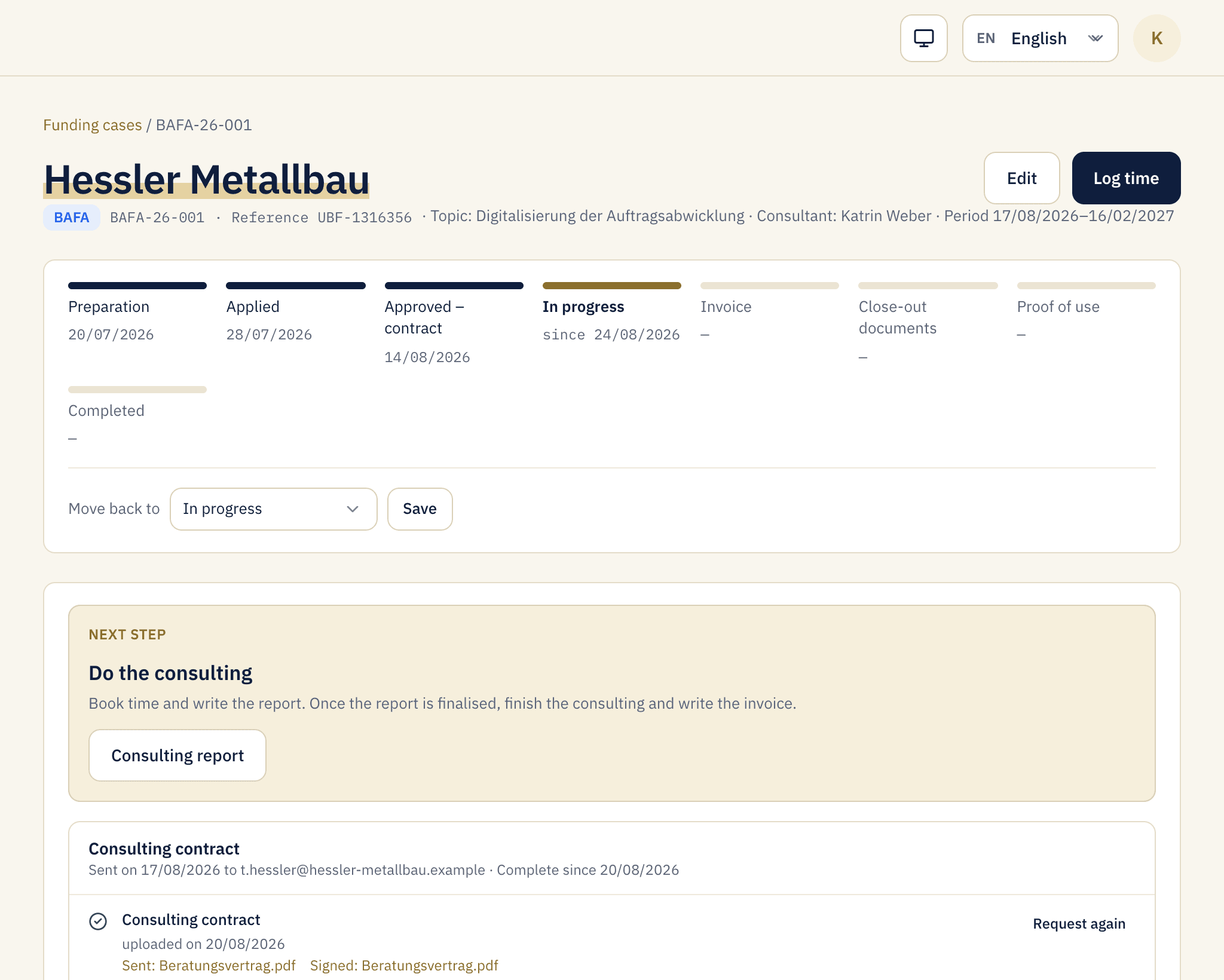
The cockpit knows each program’s phases and tells you, on every case, what comes next.
Fill in the funding checklist or read it from a PDF. Power of attorney and checklist go to the client in one click.
Time in 15-minute steps, checked across every program and every consultant.
Report with an AI draft, time sheet, invoice and close-out documents – all filed on the case.
The check runs while you type – and shows the exact minutes already taken, even when they belong to another program.
From preparation to proof of use: each phase checks its conditions before the case moves on. Deadlines and missing documents show on the overview.
Company details, consulting days and hours are already filled in. Each chapter can start from an AI draft that invents nothing: whatever is missing is marked.
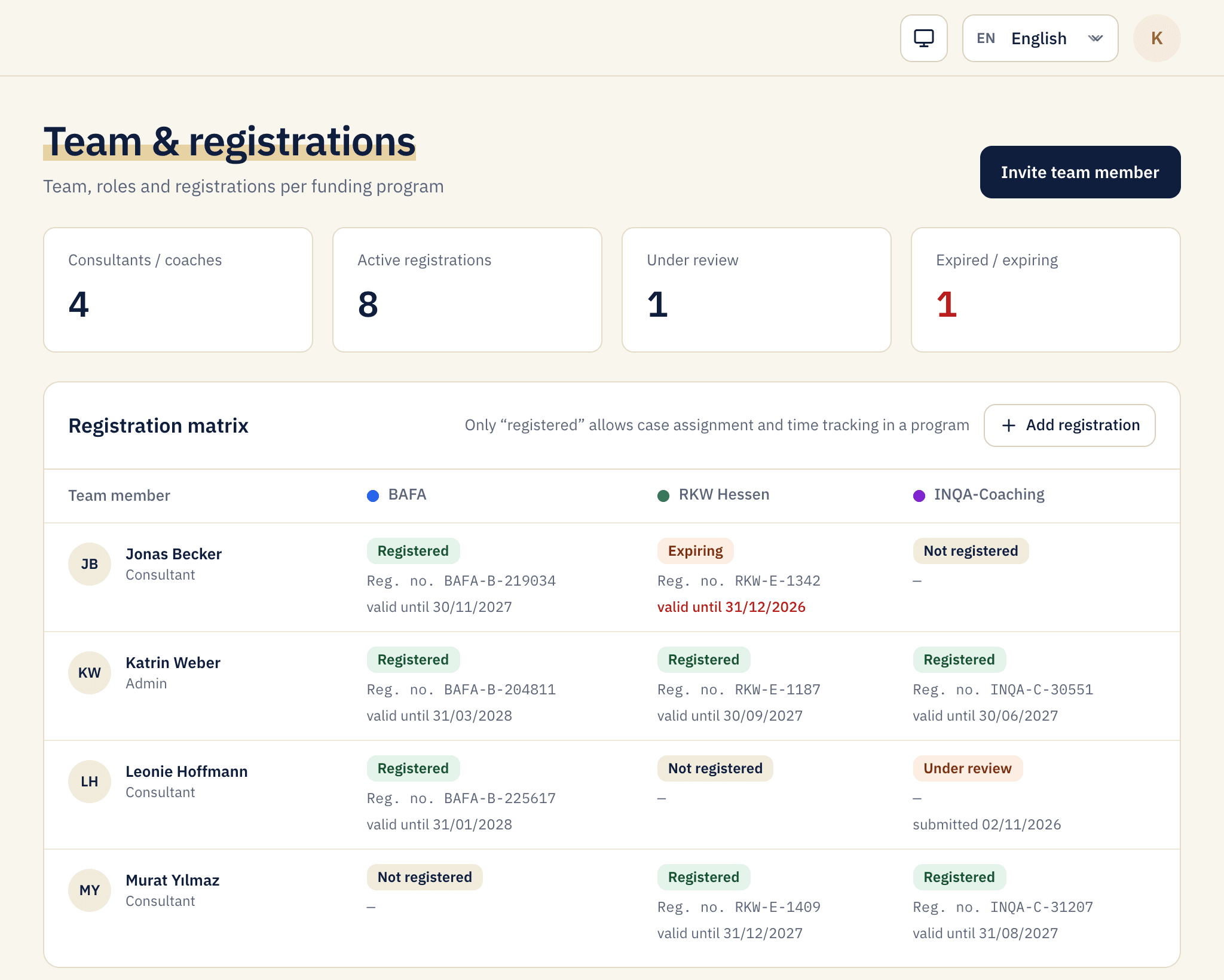
Who is registered with which program, and until when? Only registered consultants can be assigned to a case – and reminders go out in time.
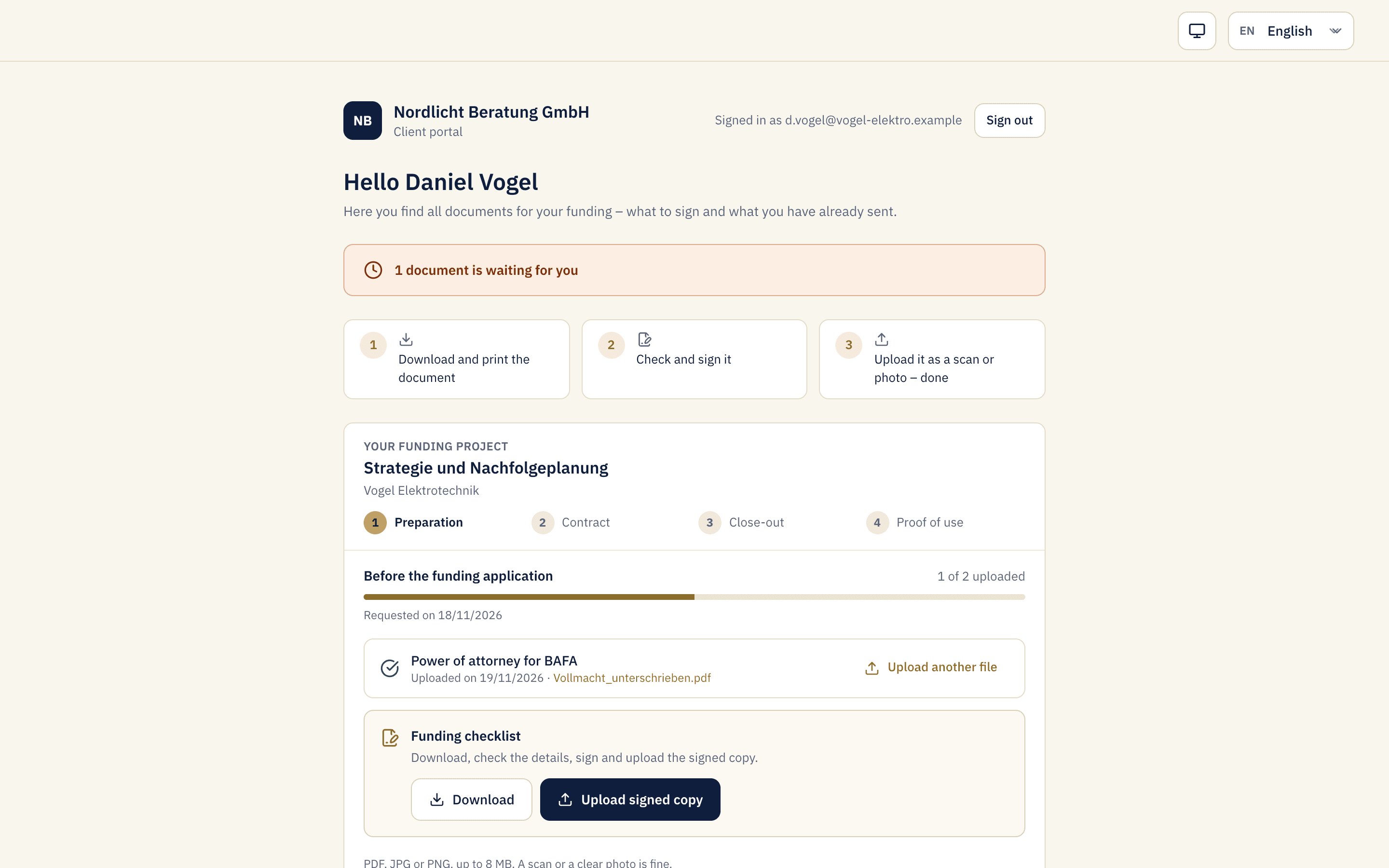
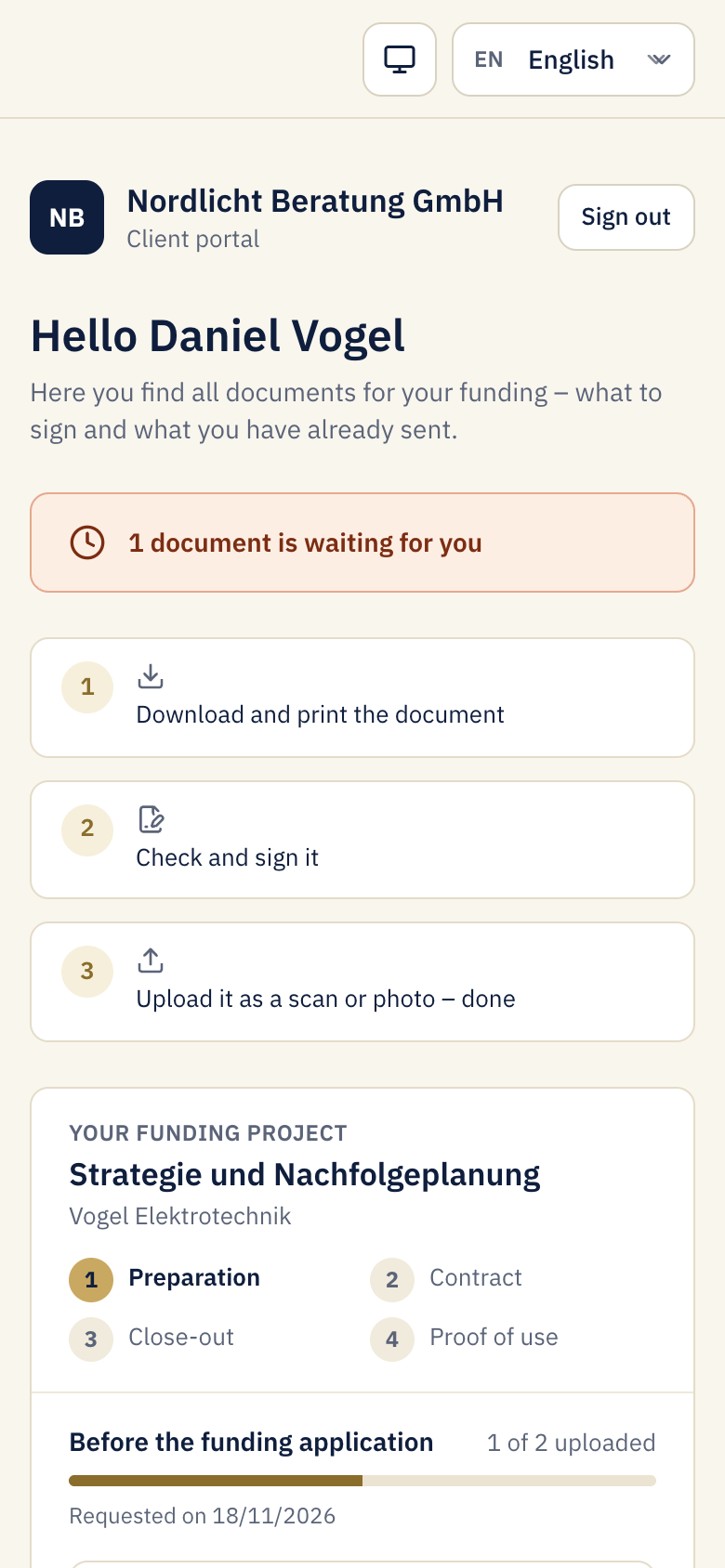
Power of attorney, checklist, contract and close-out documents go to the client by email. They sign in with a code – no password, no account –, download, sign and upload. A photo from their phone is enough.
Read approval letters, finished reports and checklists – even scanned RKW time sheets, with text recognition on our own server.
In your own layout, with a payment QR code and bank details. For RKW Hessen to the RKW, for BAFA and INQA to the client.
Step by step through BAFA, RKW Hessen and INQA – with the official forms and leaflets, kept up to date.
Expiring registrations, ending approval periods, deadlines for the funding body’s queries – by email, in time.
Record a query with its deadline, create a draft statement as a Word file, file the reply.
Ask about your funding cases in plain language – the cockpit does the sums, the AI writes the answer.
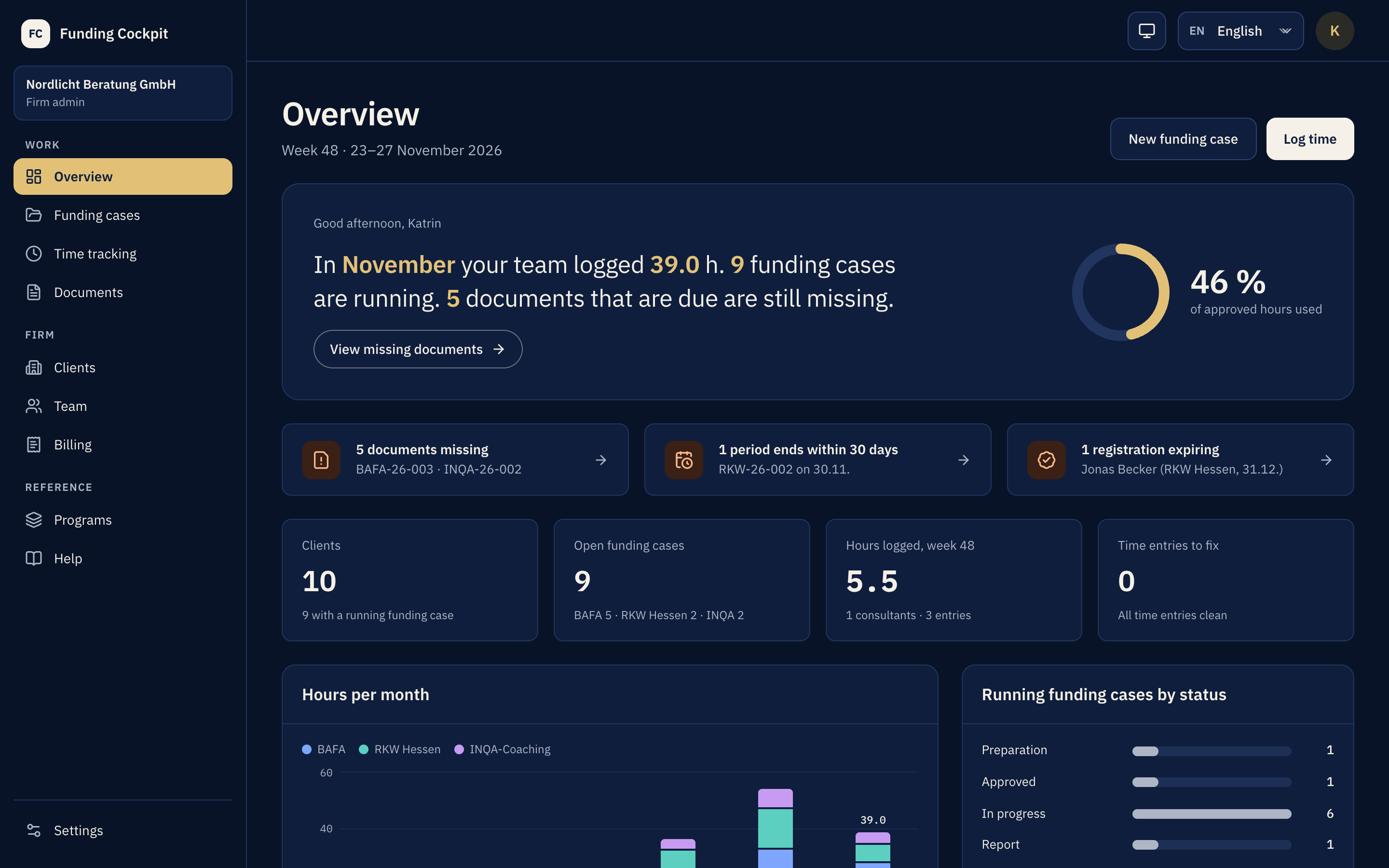
Drag the slider to compare both.
Tax numbers, bank details, reports: a funded project holds a lot that nobody else should see.
Each consulting firm works in its own workspace. Consultants see only their own funding cases.
Tax number and IBAN are stored with AES-256 encryption and only ever shown masked.
Servers and database in Europe. Your files live in the database and are part of every backup.
Optionally an emailed code on top of the password. Clients always sign in to the portal with a code.
Security-relevant actions are logged: who, what, when.
If our support ever needs to look inside, it is read-only – and that is logged too.
For consulting firms and solo consultants delivering funded consulting – today with BAFA, RKW Hessen and INQA-Coaching. It fits one consultant as well as a team.
No. Uploads and applications in the funding bodies’ portals stay with you. The cockpit prepares the documents, checks them and tells you when what goes where.
No. Your clients get an email and sign in to the client portal with a code sent to their address.
Yes. Approval letters, finished BAFA reports and signed RKW time sheets can be read from PDF. Client, case and time entries are created from them – after you have checked them.
On servers in Europe. Files are stored in the database and backed up with it. We provide a data processing agreement.
We are in our launch phase. Request access and we will get back to you with an offer that fits the size of your team.
Request access. We set up your workspace and show you everything in a short demo.